
Setting up the API
Below is a Video Guide
Step 1
On the home page after login go to settings on the left hand bar and then scroll down and click API Tokens
Step 2
Click 'Add an API Token'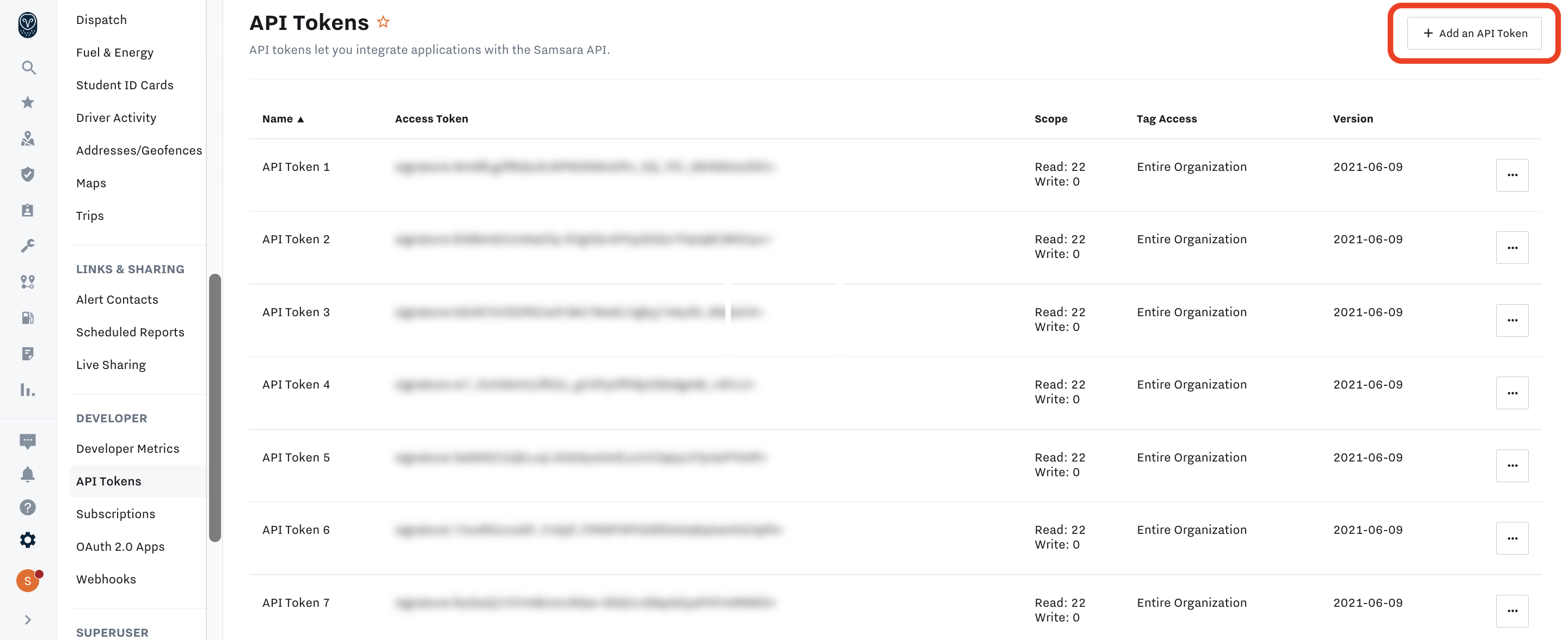
Step 3
Name the Token FTS Integration and assign the access the correct tags.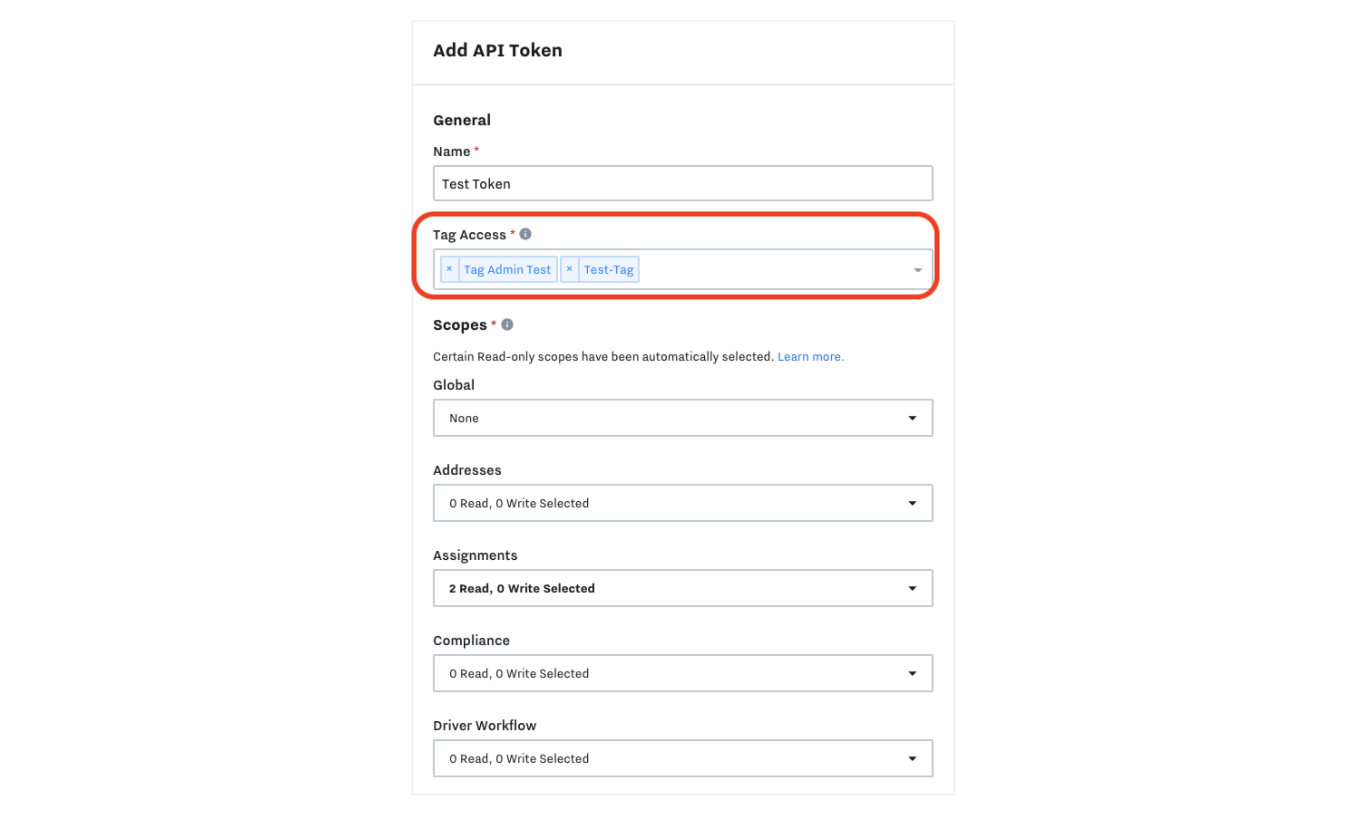
Once this has been setup there should be a new API token in the list, send only the access token for FTS integrations on a email to fts.integrations@firsttravelsolutions.com
Please remember to give updates of all information and communications to: fts.integrations@firsttravelsolutions.com
Upon receiving your provided information, we will promptly initiate the integration process.
Comments
0 comments
Article is closed for comments.